

To effectively troubleshoot ceiling fan problems like noise and wobbling, start by checking the mounting hardware for tightness; about 90% of issues stem from loose screws. This complete guide to ceiling fan troubleshooting offers expert tips and techniques I've acquired through years of hands-on experience, ensuring you can easily resolve common fan issues and enjoy a perfectly functioning ceiling fan.
Ceiling fans can be a fantastic addition to your home, providing comfort and style. But when things go wrong, it can be incredibly frustrating. If you’ve noticed your fan is making a weird clicking noise or it’s not turning on at all, don’t worry! Let’s explore the common problems and how to fix them.
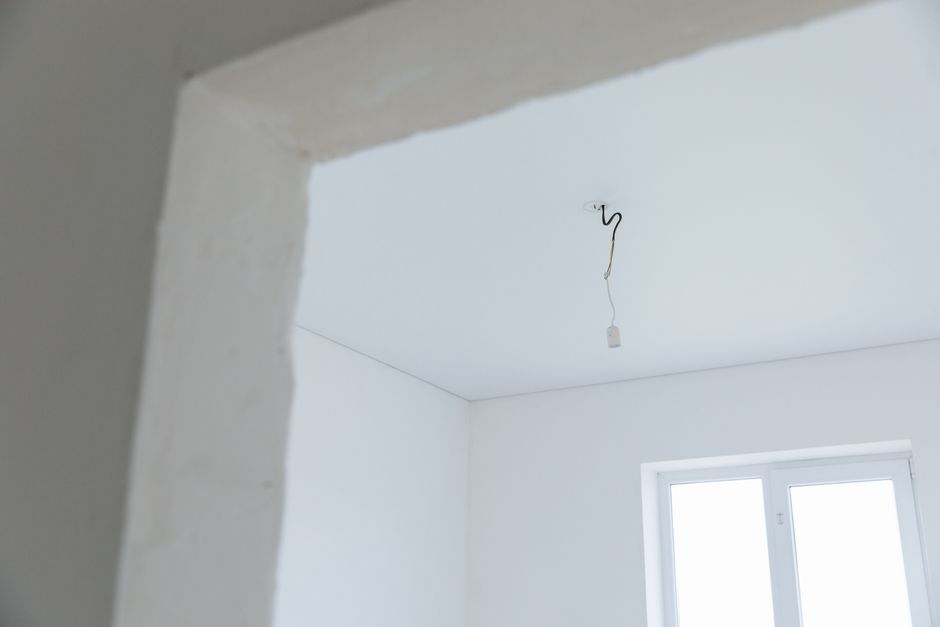
Understanding Electrical Wiring Issues
One major area to check when your ceiling fan isn’t functioning is the electrical wiring. I can’t tell you how often I’ve found that a simple wiring issue is the root of the problem. Over the years, I’ve dealt with ceiling fans that flicker or won’t turn on, and almost all instances traced back to the electrical connections.
First, ensure that your fan is properly connected to the electrical supply. You may need to turn off the power at the circuit breaker and remove the fan’s canopy to access the wiring. Look for any loose connections or frayed wires; these can often cause shorts or prevent the fan from getting power.
I’ve had success tightening any loose wire nuts and ensuring all connections are secure. If electrical work feels intimidating, don’t hesitate to consult an electrician.
[PEXELS_IMAGE_N]
Tackling Fan Motor Problems
If your ceiling fan hums or makes grinding noises, the problem could lie in the fan motor. When I’ve encountered this issue, it usually requires a bit of investigation. Sometimes, the fan motor may simply need lubrication, especially if it’s an older model. Applying a few drops of oil to the motor shaft can smooth out those annoying sounds.
In some cases, though, persistent problems indicate a failing motor. If I notice the fan has stopped working altogether despite it being wired correctly, I’ll assess the motor for burnt smells or visible signs of wear. Unfortunately, if the motor is damaged, replacing the fan may be more cost-effective than attempting repairs.
[PEXELS_IMAGE_N]
Fixing Wobbly Ceiling Fans
Another common issue that drives people like me nuts is a wobbly ceiling fan. It’s often caused by improper blade balancing. When I finally took the time to balance my fan, it made a world of difference! To start, I check the blades to ensure they’re evenly spaced from the ceiling and their mounts are tightly secured.
Tightening screws can sometimes resolve the issue immediately.
If that doesn’t help, I recommend using a blade balancing kit, which usually includes adhesive weights. This kit can help pinpoint the imbalance. I often start by placing the weights on one blade at a time and testing the fan until it runs smoothly without any wobble. If you’re experiencing a similar issue, don’t hesitate to experiment with this simple yet effective solution.
[PEXELS_IMAGE_N]
Troubleshooting Remote Control Issues
Remote controls are super convenient for ceiling fans, but when they stop working, it can be really frustrating. My first step whenever my remote fails is to replace the batteries. It’s astonishing how often this fixes the problem! I’ve learned that even slightly low batteries can affect the remote’s performance.
If changing the batteries doesn’t help, I check if the remote is synced with the fan. Sometimes, the remote can lose its connection. To reconnect it, I turn off the power, wait for a few seconds, and then turn it back on while pressing the “pair” button on the remote.
Most remote-controlled fans have this syncing feature, which can easily get them back to normal functionality.
[PEXELS_IMAGE_N]
What If My Ceiling Fan Turns On by Itself?
This is an issue I had recently with my living room fan, and it can be quite perplexing! Typically, this problem occurs due to a malfunctioning remote control or interference from another device. To troubleshoot, I checked my remote for stuck buttons and replaced the batteries, just like I mentioned earlier.
If that doesn’t work, turning off the power to the fan can also help reset any glitches. In my case, I also discovered that a nearby light fixture wired to a dimmer switch was causing interference. Disconnecting the power to that fixture resolved the issue entirely.
If you find yourself with a fan that operates unexpectedly, try these steps first before concluding that you need a new fan altogether.
[PEXELS_IMAGE_N]

Regular Maintenance Tips to Prevent Issues
Preventive maintenance is key to avoiding ceiling fan issues down the line. In my experience, cleaning the blades regularly can prevent dust buildup that can affect performance. I make it a habit to dust my fans monthly and give them a deeper clean with a damp cloth every few months.
Additionally, checking screws and connections each season can keep everything tight and functional. I keep a small screwdriver handy in my toolbox for this reason. Regularly inspecting your fan ensures that you catch any minor issues before they become major problems.
[PEXELS_IMAGE_N]
So, there you have it! Whether it’s electrical wiring issues, fan motor problems, blade balancing, or remote control issues, I hope this complete guide to ceiling fan troubleshooting has equipped you with the knowledge to tackle your ceiling fan headaches. With a little patience and the right approach, most issues can be resolved on your own.
If you’re also dealing with complex issues like wiring or installation, I have a detailed DIY guide on kitchen exhaust fan wiring that can help clarify any confusion in wiring setups. Feel free to explore more for solutions, and remember, fixing ceiling fans is often simpler than it seems!
Frequently Asked Questions
Why does my ceiling fan make noise?
Ceiling fans may make noise due to loose screws, outdated bearings, or an unbalanced blade. Tightening screws, lubricating bearings, and ensuring blades are balanced can help reduce or eliminate the noise.
How can I fix a wobbly ceiling fan?
To fix a wobbly ceiling fan, check to ensure all blades are securely attached and equal in length. You may also use a balancing kit to adjust and balance the blades properly.
What to do if ceiling fan remote is not working?
If your ceiling fan remote is not working, first check the batteries and replace them if necessary. If that doesn't resolve the issue, try resetting the remote or checking for a tripped circuit breaker.
Can ceiling fan blades be replaced?
Yes, ceiling fan blades can be replaced if they are damaged or if you want to improve the aesthetic appeal of your fan. Ensure you purchase blades compatible with your fan model for proper functionality.
Is it safe to repair a ceiling fan myself?
While it is possible to repair a ceiling fan yourself, safety should be the top priority. Always turn off the power to the fan at the circuit breaker before attempting any repairs to prevent electrical hazards.